Submitting your Badge/Lanyard Designs in the Order Management System
Before your custom event materials can be produced and shipped, you will need to provide your delivery details and upload your artwork. This guide will walk you through setting up your shipping address, uploading your badge and lanyard designs (including specifications for both Premium and Economy lanyards), and officially submitting your order for review by our logistics team.
Adding Your Shipping Address for Your Order
Please ensure the shipping address field is accurate and meets your team's needs.
-
From the Event Dashboard, select the gear icon ⚙️ and select Settings
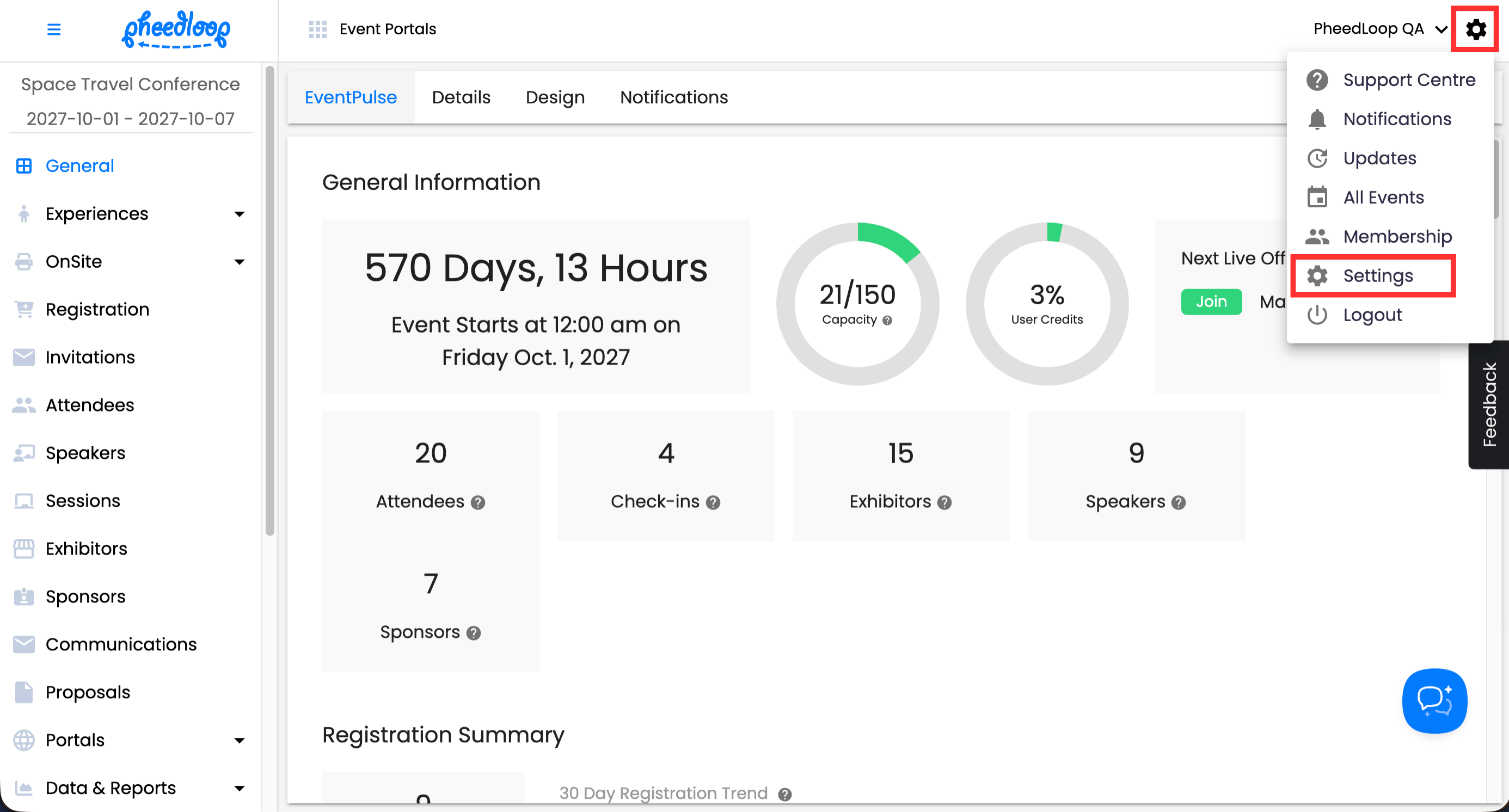
- Select Orders
-
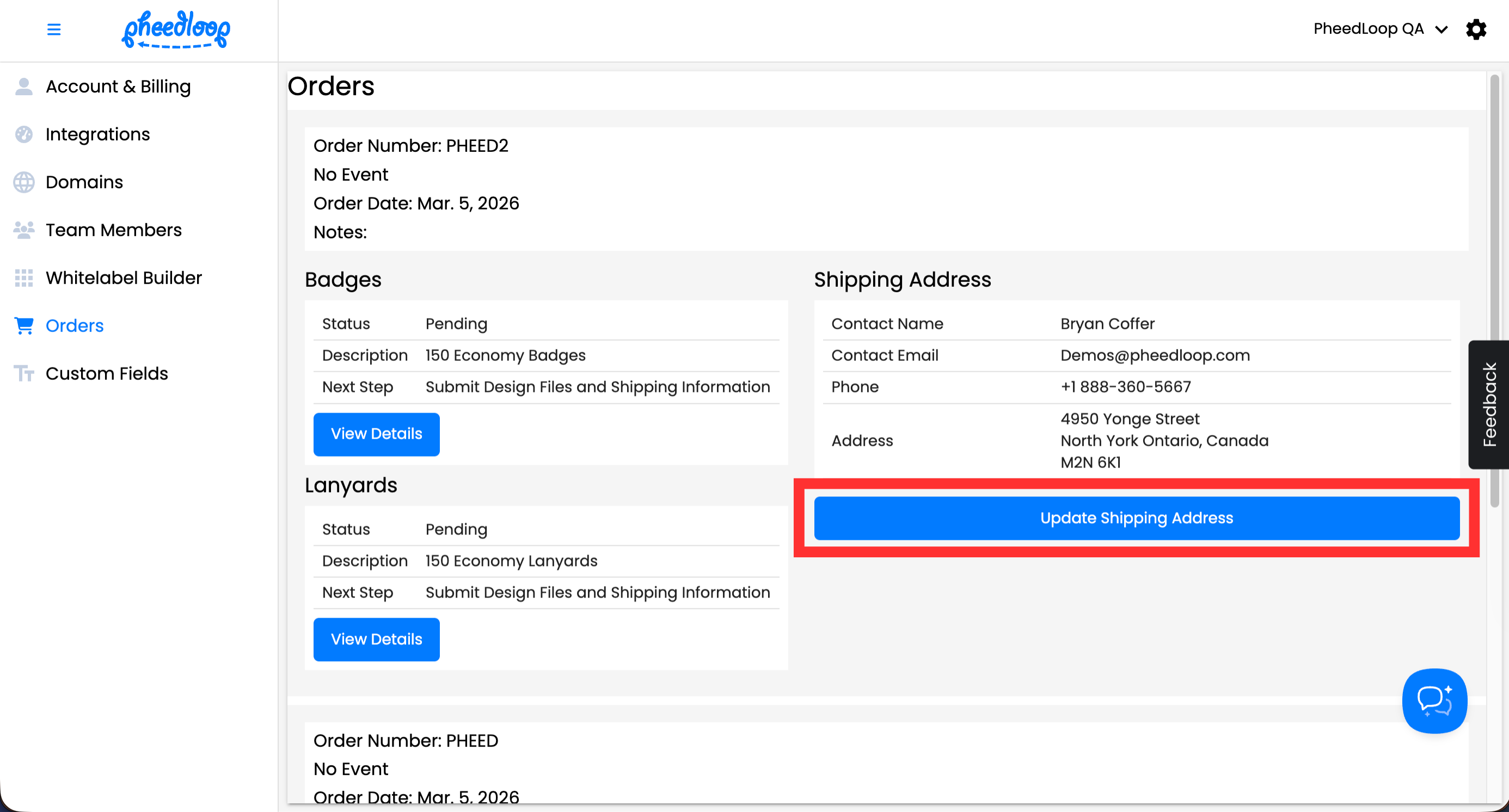
Under Shipping Address, Select Update Shipping Address
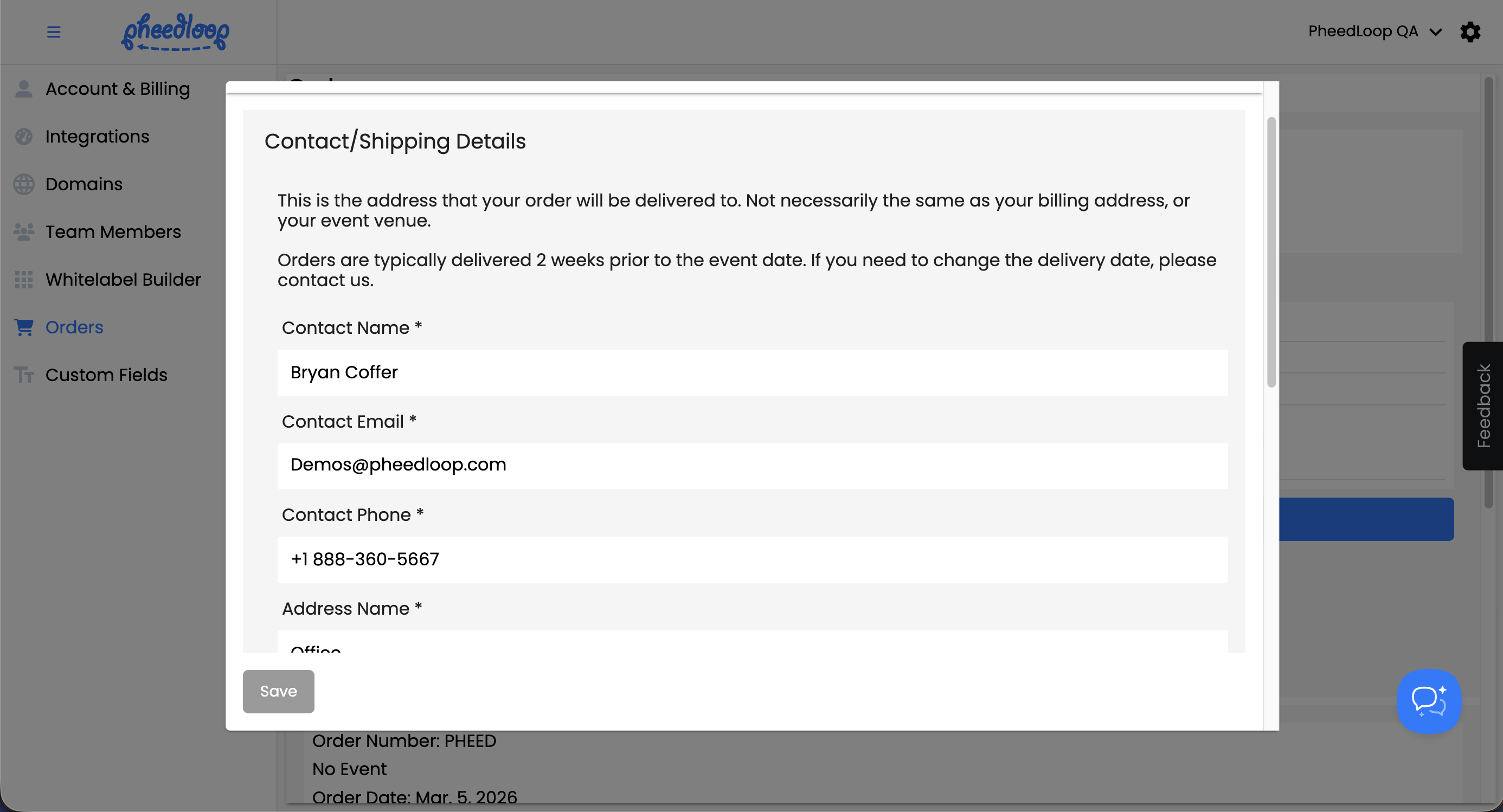
- Fill out the form fields with your shipping information:
- Contact Name: Enter the person who will receive the badges and lanyards.
- Contact Email: Enter the email address for the contact person.
- Contact Phone: Enter the phone number for the contact person.
- Address Line 1: Enter your primary shipping address.
- Address Line 2: Enter any additional details, such as an apartment, suite, or unit number.
- City: Enter your shipping city.
- Country: Select your shipping country.
- Zip/Postal Code: Enter your postal or zip code.
- Delivery Instructions: Enter any special instructions needed for your delivery.
-
Select Save
Uploading Badge Designs
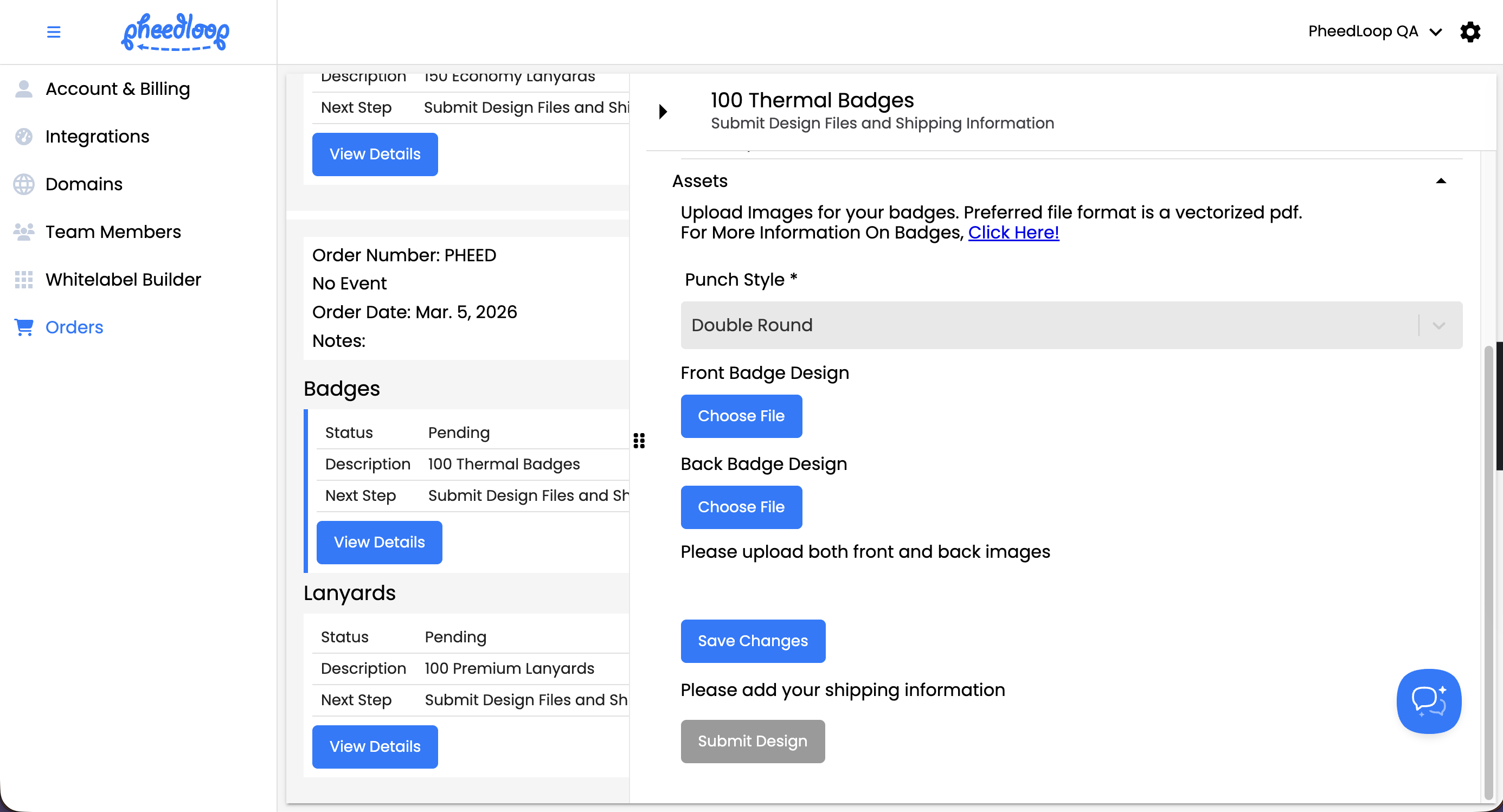
- Under Badges, select View Details
- Under Punch Style, select the holes that the badge should have
- In most cases, it's fine to leave this selection as Double Round.
- Under Front Badge Design, select Choose File to upload the design for front of the badge
- Under Back Badge Design, select Choose File to upload the design for the back of the badge
-
Select Save Changes
Uploading Lanyard Designs
Premium Lanyards
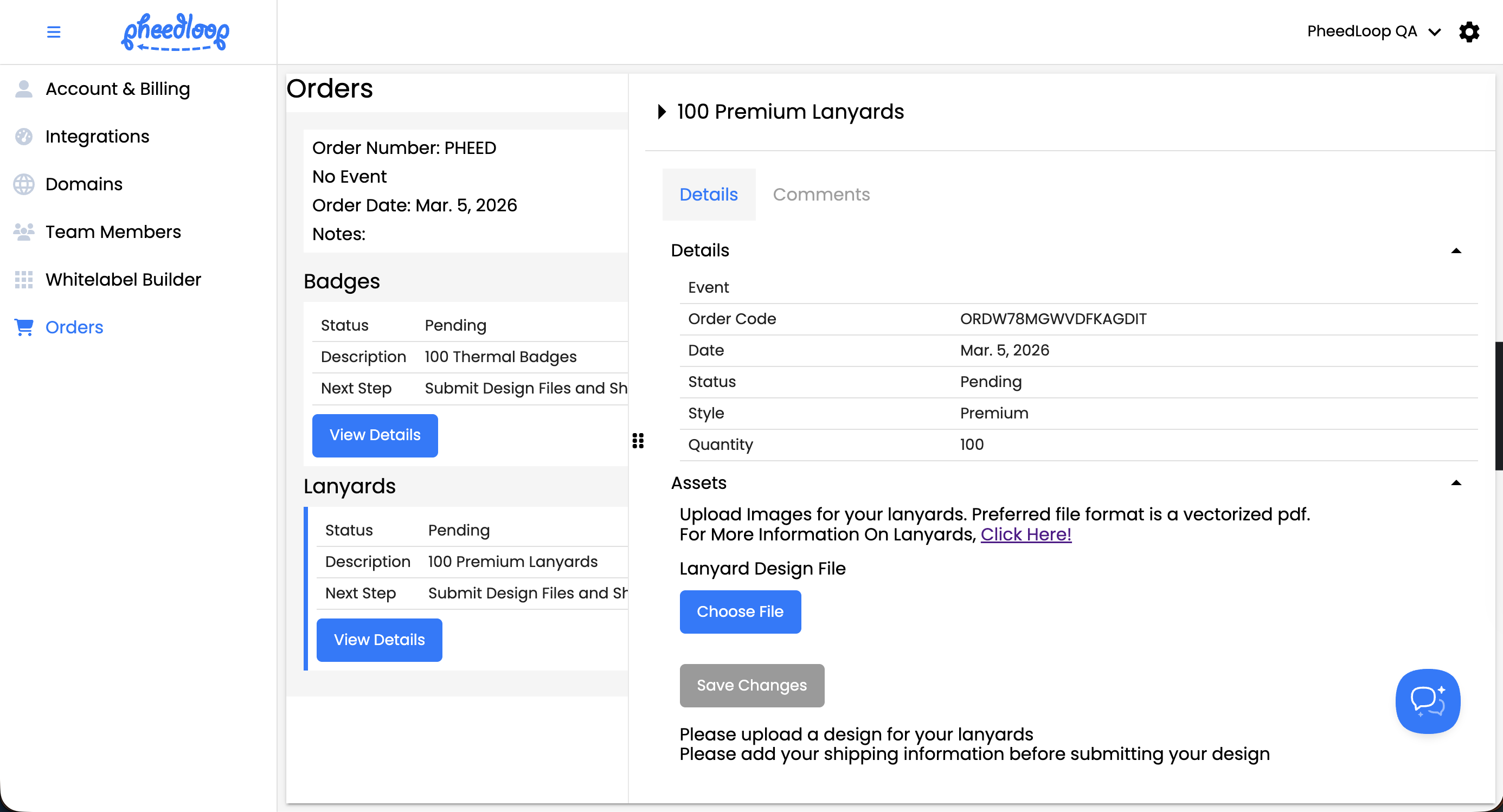
- Under Lanyards, select View Details
- Under Lanyard Design File, select Choose File to upload your lanyard design
-
Select Save Changes
Economy Lanyards
Economy lanyards will have different settings due to their unique requirements. Instead of a lanyard design file, you will select the Lanyard Color and upload your Lanyard Logo as a plain white graphic. Please do not include color in the lanyard logo, as we will not be able to replicate it.

Submitting your designs
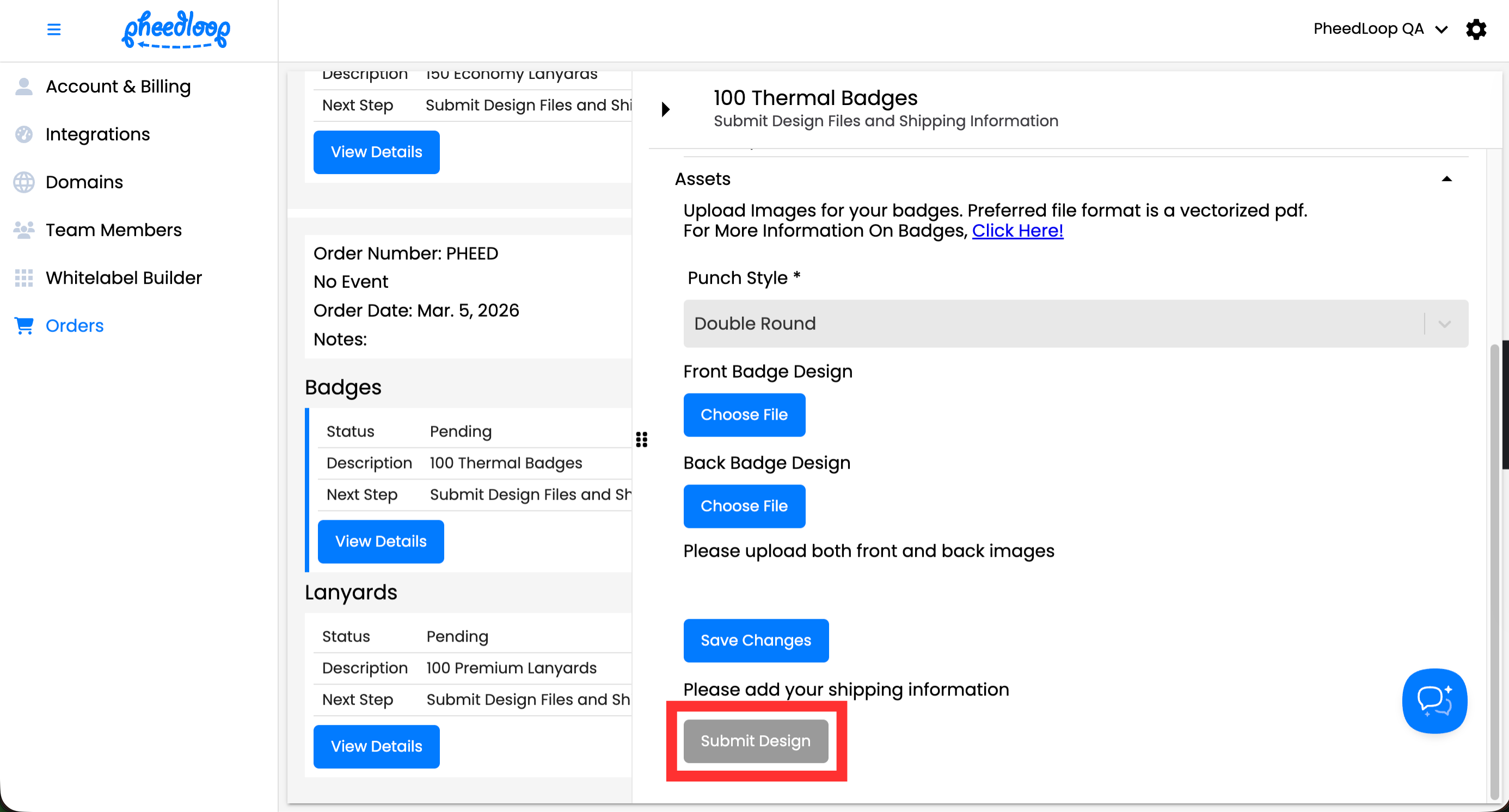
Once you are comfortable with your submission and you have added a shipping address, you can submit the design for review. Our logistics department will assess your designs and provide feedback and next steps.
- Under Badges, select View Details
- Select Submit Design
-
Review the confirmation message and select Confirm to finalize your submission